
Category Archives for "News"
General News and Information Updates
General News and Information Updates
Experience the next evolution in show control with VenueMagic 4.0! Packed with innovative features and powerful enhancements, this release is designed to help you create more immersive, flexible, and dynamic productions than ever before. From breathtaking 3D audio and multi-monitor video playback to smarter event automation and seamless networking, VenueMagic 4.0 puts creative control at your fingertips.
Whether you’re a seasoned VenueMagic user or just getting started, you’ll find new tools and thoughtful improvements—many inspired by your feedback—that make designing and running your shows easier, faster, and more exciting. Explore the highlights below and see how VenueMagic 4.0 can elevate your next production!
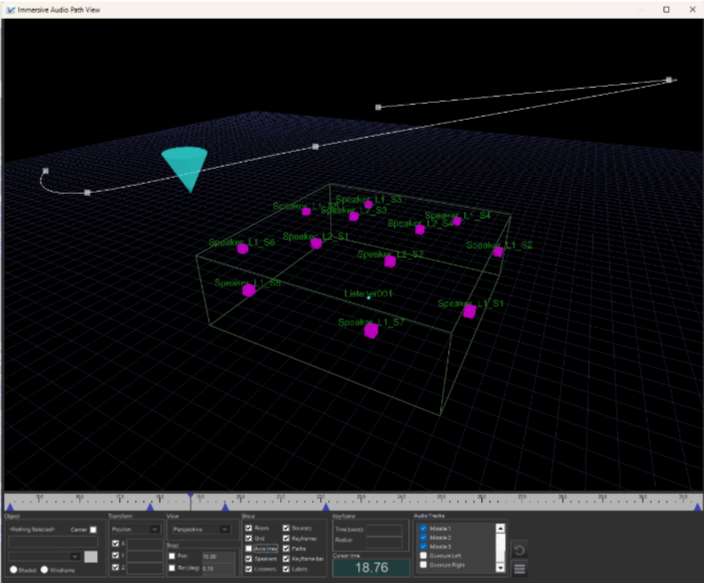
VenueMagic 4.0 now brings your shows to life with immersive audio technology. Easily create stunning 3D soundscapes that move and surround your audience, using advanced speaker layouts and real-time spatial positioning. With intuitive controls and flexible configuration, VenueMagic’s immersive audio lets you deliver unforgettable experiences—whether you’re designing for theaters, attractions, or live events. Available in VenueMagic SC+ and above only.

VenueMagic 4.0 introduces the powerful new Audio Output Window, giving you complete control over every audio channel in your show. Instantly view real-time audio levels, mute or solo individual channels, and test speakers with static playback—all from a single, intuitive interface. Effortlessly adjust audio effects and bypass sound effects with one click. Organize your outputs with customizable tabs and groups, making setup and management easier than ever. Experience streamlined audio control and enhanced flexibility with VenueMagic 4.0! Available only in VenueMagic DMX+AV and above.
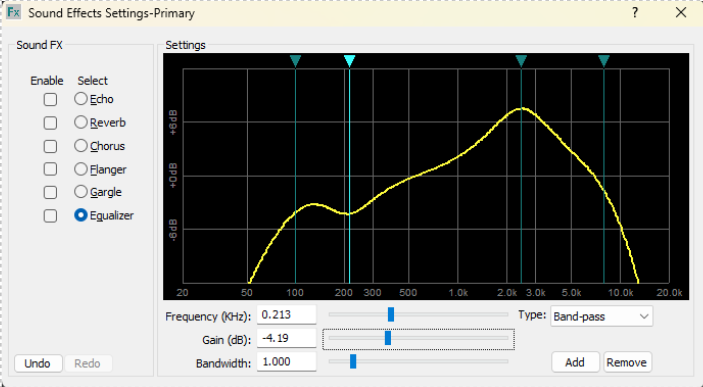
Fine-tune your sound with VenueMagic 4.0’s new Parametric Equalizer! Available for both audio output channels and individual audio clips, this intuitive tool lets you sculpt your audio with precision. Easily adjust high-pass, low-pass, and band-pass filters, add or remove handles, and control frequency, gain, and bandwidth—all in real time. Instantly hear the results as you shape your mix, reduce unwanted noise, and enhance clarity. VenueMagic’s Parametric Equalizer puts professional-grade audio control at your fingertips! Available only in VenueMagic DMX+AV and above.
VenueMagic 4.0 gives you new creative control over how events and timelines play back in your shows. Easily set up sequences where actions can happen all at once, one after another, or in a random or shuffled order—adding variety and excitement to every performance. You can even trigger specific actions based on external inputs, making your shows more interactive and dynamic. With these powerful new options, VenueMagic 4.0 makes it simple to design engaging, unpredictable experiences that keep your audience captivated! Available in VenueMagic SC+ and above only.
VenueMagic 4.0 now features a powerful built-in keycode system, making it easy to add password, combination lock, and access control functionality to your shows. Assign custom codes to trigger specific actions, unlock special effects, or control access to restricted areas—all without external hardware or complex programming. Perfect for escape rooms, interactive exhibits, and secure show operations, VenueMagic’s keycode function lets you create engaging, puzzle-based experiences with just a few clicks. Available in VenueMagic SC+ and above only.
VenueMagic 4.0 now lets you play up to four* videos simultaneously across four different monitors—perfect for creating immersive, multi-screen experiences. Previously limited to a single video, you can now deliver dynamic visuals and content to multiple displays, all with the power and flexibility of VenueMagic’s show control platform. (*VenueMagic DMX+AV is limited to two simultaneous videos)
VenueMagic’s VMNet (VenueMagic Network) expands your show control capabilities by allowing multiple computers running different VenueMagic projects to communicate and share resources over a local network. With VMNet, you can remotely run and synchronize timelines, execute events, and share I/O between systems—making it easy to coordinate complex, distributed shows. This powerful networking feature increases scalability, letting you grow your production by simply adding more VenueMagic installations (each requiring its own license). Experience seamless collaboration and greater flexibility with the improved VMNet in VenueMagic 4.0! Available in VenueMagic SC+ and above only.
This section is for our dedicated VenueMagic aficionados whose feedback and special requests help shape every release. While not every new or requested feature is listed here, VenueMagic 4.0 delivers a host of technical enhancements designed to streamline your workflow, improve integration, and give you even greater control over every aspect of your show.
Allows you to control the master volume of individual audio tracks using external devices or automation in addition to the track slider, enabling real-time adjustments during playback. SC+ Edition only.
Ensures that audio effects such as reverb or delay continue to play out naturally (the "tail") even after the source audio stops, providing smoother transitions and a more professional sound.
Offers a quick option to route all audio outputs to the primary audio device, simplifying setup and troubleshooting when you want all sound to play from a single source.
Supports simultaneous playback of the same audio clip through multiple audio output devices on a single track, making it easy to create complex soundscapes or direct different audio tracks to different speakers or zones.
Choose which audio channel is used for video playback, giving you more control over your show’s sound.
When exporting your show, any effects applied to individual audio clips are now included in the ShowNodes, ensuring your sound design is preserved across different projects or systems. VenueMagic SC+ and above only.
Copy just the audio effects from one clip and paste them onto another, streamlining your workflow and making it easy to apply consistent processing across multiple clips.
Create complex event triggers using flexible condition expressions, allowing you to combine multiple criteria for precise control over when events occur. VenueMagic SC+ and above only.
Trigger events automatically when a monitored value or variable changes by a specified amount (rather than to a specific value), enabling responsive and dynamic show behaviors.
Easily duplicate events and their settings between different parts of your project, streamlining workflow and saving setup time.
VenueMagic 4.0 lets you add a touch of chance to your shows with the new trigger probability setting for events. Want an event to always happen? Set its probability to 100%—it will trigger every time the conditions are met. Prefer a little suspense? Try 50% and watch your event fire about half the time, keeping your audience guessing! With this feature, you can easily add more randomness and excitement to your productions.
Set the initial state of event triggers at the start of your show, ensuring consistent and predictable event behavior every time.
Persistent Variables Keep your show’s state intact between sessions! With VenueMagic 4.0, variables in the Variable Table can be set as persistent, meaning their values are saved in your project file. This makes it easy to track progress, scores, or any other important data—even after closing and reopening VenueMagic.
Make your shows more interactive and dynamic! Now you can set a variable’s value directly from an external input or another variable, not just a fixed number. Snapshot dynamic variables and external inputs for later use.

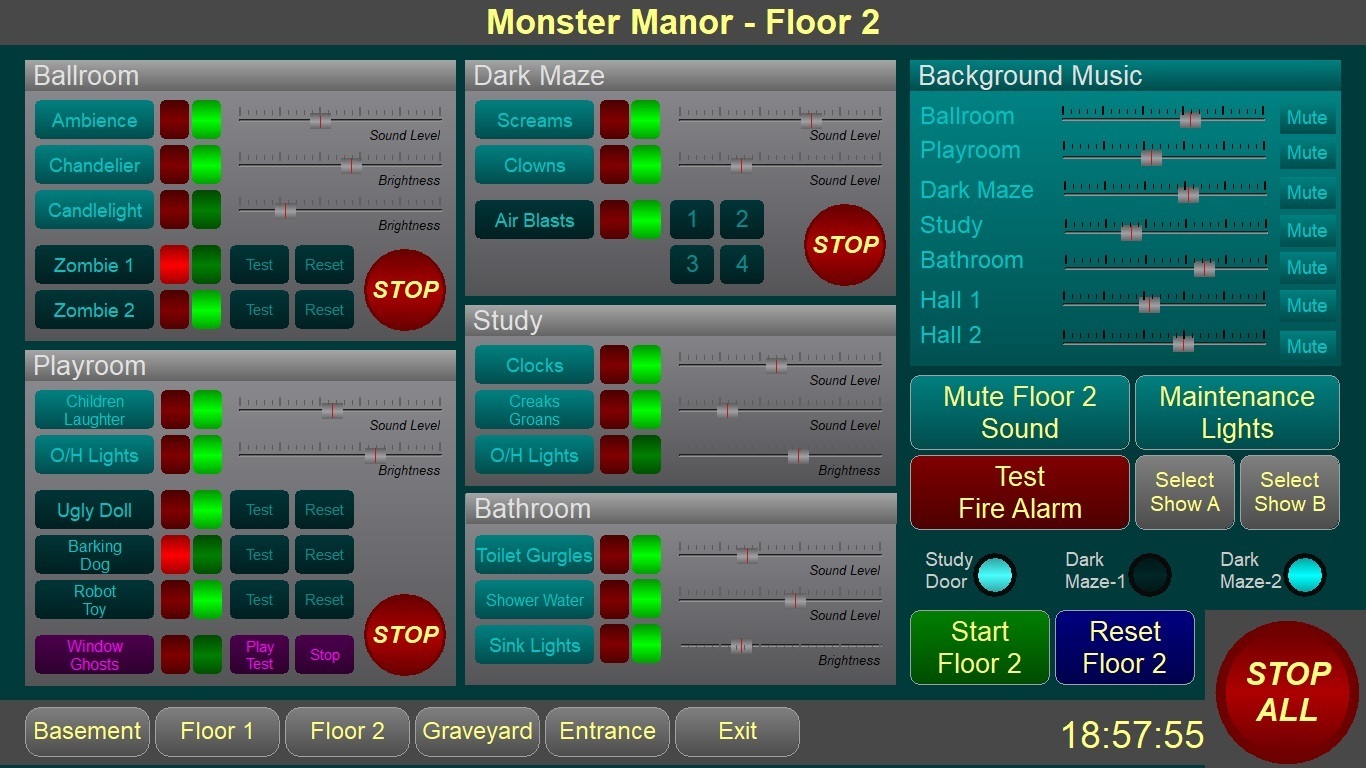
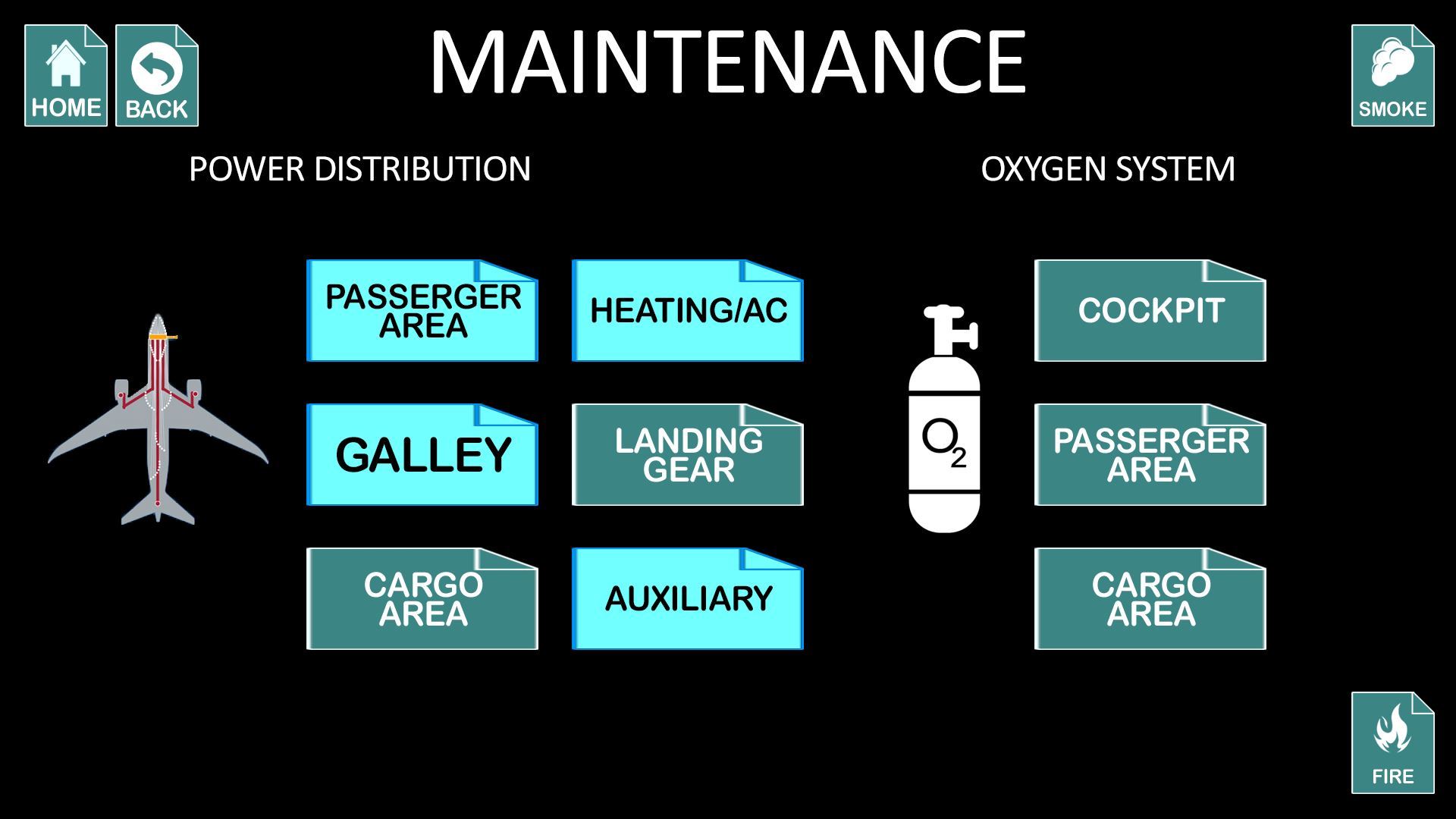
VenueMagic now includes a full-featured graphical user interface development tool. Create your own operator control panels by dragging and dropping buttons, sliders, lamps, numerical displays, images and more. Great for theater/live performances, haunted attractions, escape rooms and many other venues. VenueMagic Screens is available in VenueMagic SC+ and SC2+ Editions. Click here for more information.

 VenueMagic will be on the show floor in booth 1536 at the Annual Halloween & Attractions show (www.haashow.com). We will be showing off new products and new VenueMagic capabilities. You won’t want to miss it! To setup a meeting at the show please email sales@venuemagic.com.
VenueMagic will be on the show floor in booth 1536 at the Annual Halloween & Attractions show (www.haashow.com). To setup a meeting at the show please email sales@venuemagic.com.

In a recent interview with Commercial Integrator Magazine, Don Nolan, CEO of Entertainment Sciences Group, discusses how recent advances in show control and AV technologies have impacted the haunted house and escape room industries. Read the complete article here.
Hello VenueMagic Fans!
We are excited to announce that you can now get your upgrade to VenueMagic 3.0 online!
Under the Purchase Menu, Select Upgrade.

We are donating a VenueMagic DMX+AV 3.0 to the Don’t Be A Monster Auction at Transworld this year. It will be on auction at booth 1907 from start of show on Thursday to Saturday at 5pm
You can see us at Booth 1536
It’ll be a great show this year. Don’t miss it!
#Dontbeamonster
VenueMagic will be on the show floor in booth 1536 at the 20th Annual Halloween & Attractions show (www.haashow.com). To setup a meeting at the show please email sales@venuemagic.com.
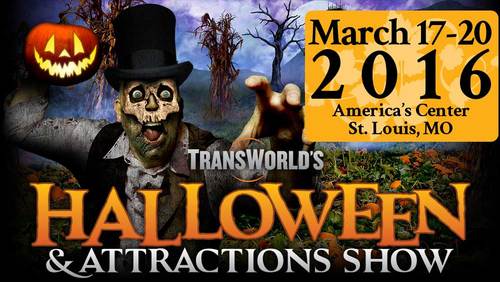
To setup a meeting at the show please email sales@venuemagic.com.
VenueMagic will be on the show floor in booth 414 at the 18th Annual Halloween & Attractions show (www.haashow.com). To setup a meeting at the show please email sales@venuemagic.com.